Transform English into Automated Tests

AI Testverse SuperAgent lets you instantly automate browser-based QA —
just type your test steps in plain English, and SuperAgent does the rest.
No coding. No scripts. Blazing fast setup.

Get Started See Features Download ZIP
No code, just plain English
Unzip & Run — 2 mins setup
AI Powered. Truly Zero Code.
Watch Testverse in Action (1:20 min)

Demo: Instantly turn natural language into robust, automated browser tests.

True NLP Automation

Describe your test in English. SuperAgent designs and runs your automation behind the scenes — no scripts, no learning curve.

Rapid & Easy Setup

Simply unzip, enter your API key, and run one command. Start testing within minutes — on any machine with Python 3.11+.

Powerful & Secure

All code is local; no vendor lock-in. Your tests stay private. Modern desktop app for both GUI and command-line use.

Features

NLP-Powered Test Creation

Type your test case in natural English. No code, no syntax — just plain language.

Browser Automation

Automate browser actions for regression, smoke, or end-to-end workflows.

Easy API Key Management

Paste your key in-app. No complicated auth — seamless, secure, and privacy-focused.
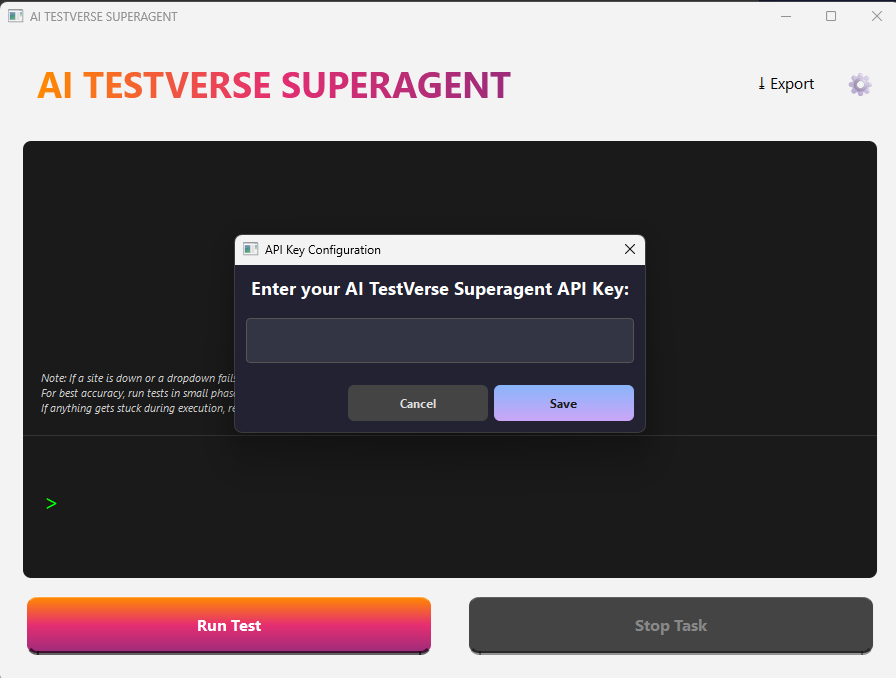
API Key Steps Paste your API key in Settings

Works With Your English

  • Ex: Go to https://xyz.ai and test login page" .
  • SuperAgent automatically generates and executes positive, negative, and edge test cases—including SQL injection, boundary conditions, security scenarios, and business logic automation—instantly for you.
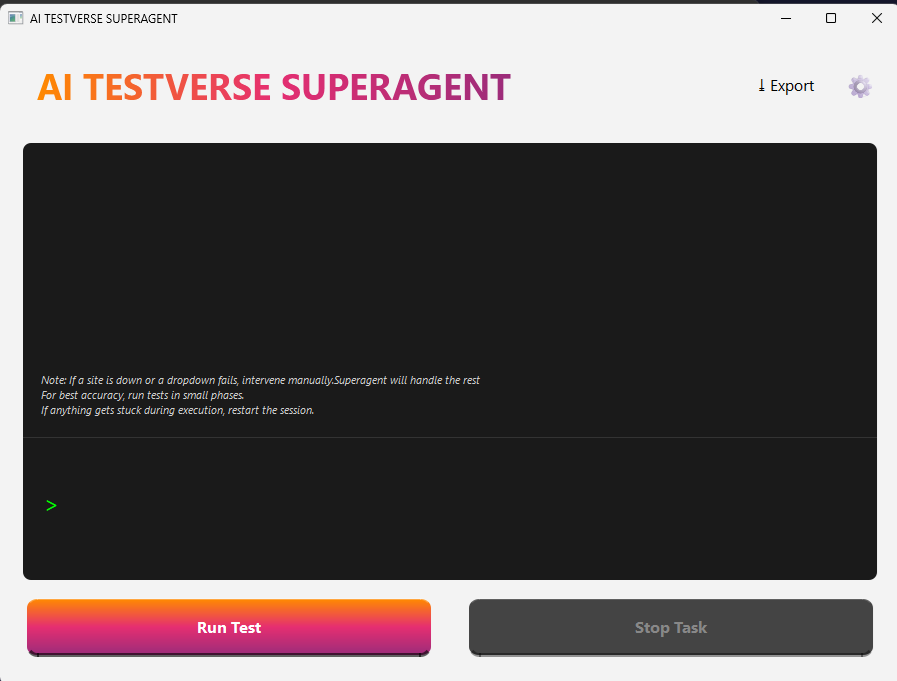
Terminal execution Terminal: Instant no-code app launch

Local & Secure

Everything runs on your machine. No browser plug-ins, no cloud syncs, and no privacy headaches.

Getting Started

  1. 1Download ZIP
  2. 2Install Python 3.11+
    Download from python.org, add to your PATH.
  3. 3Set Up Virtual Environment
    python -m venv .venv, then activate: .venv\Scripts\activate
  4. 4Install Dependencies
    pip install PySide6 playwright
    python -m playwright install chromium
  5. 5Run the App
    python start.py
  6. 6API Key
    Contact Dr. Sanjeev Kuwadekar or Dr. Sampath V. Patil for your key.
    Paste this key in the app Settings (gear icon). API Key Setting Visual
Terminal image Terminal: Run python start.py
API Key Settings Paste API key under Settings
Tips for a Smooth Experience:
  • Note: If a site or dropdown fails, intervene manually. SuperAgent will handle the rest.
  • For best accuracy, run your tests in smaller phases.
  • If anything gets stuck during execution, restart the session.
  • Don't edit/view compiled modules; you don't need to touch .pyd files.
  • The app is local—your data never leaves your computer.
Released under the MIT License. See LICENSE for details.

FAQ & Support

No! Just type your automation scenario in plain English, and the agent runs your tests — no Selenium or scripts required.
Contact Dr. Sanjeev Kuwadekar or Dr. Sampath V. Patil and request your key. Paste it in the app settings (gear icon).
Works on Windows, macOS, and most modern Linux distributions — anywhere Python 3.11+ runs.
Data and tests stay local on your machine. Only minimal required test context is sent to the AI service, not your app data.
Email Dr. Sanjeev Kuwadekar or Dr. Sampath V. Patil.
Or open an issue on the GitHub repo.
If a dropdown fails, intervene manually (e.g., select the option directly); SuperAgent will resume. For best results, test in smaller steps and restart if needed.
Need 1-on-1 help? Reach out to us!
You’ll get personal assistance from the developers behind SuperAgent.